SquareChat

Be fair. Be square.

Back to SquareChat
Official Android download

Download SquareChat for Android

The official SquareChat app is downloaded directly from squarechat.nl. The app is currently not available in the Play Store. Here’s why, how to install it safely, and how to check that you have the right file.

Download Android APK
Official source: squarechat.nl No ads Signed app Version 2.0.15
Checking download...

Download safely

Safe installation starts with using the right source. Download the SquareChat app only through this page on squarechat.nl. This is the official download location for SquareChat.

Android shows a warning when you install apps outside the Play Store. That does not automatically mean the app is unsafe. It means Android asks for extra confirmation because you are installing the app directly from a website.

The app is signed, so Android can check that updates come from the same maker.
Why not in the Play Store?

SquareChat is an independent, ad-free project. For now, the app is offered directly through squarechat.nl. This keeps distribution simple and lets SquareChat stay in control of updates, choices and development.

Manual installation is less familiar than installing through the Play Store, but it is a normal Android option. This page shows you what to do step by step.

See what SquareChat looks like

Here’s what the Android app looks like in practice: start the app, choose a room, and join a small video chat.

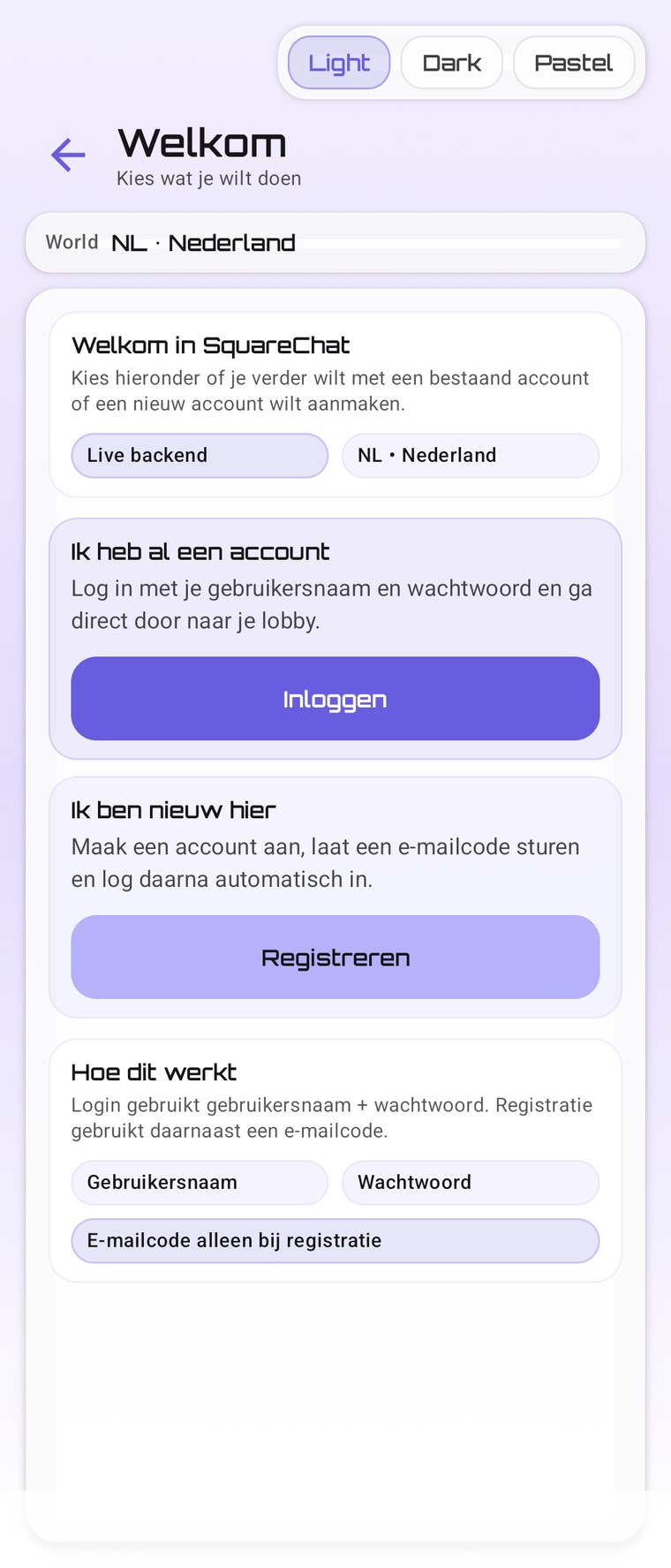
SquareChat start screen on Android

Start easily

Sign in with your account or create a new one to start using SquareChat.

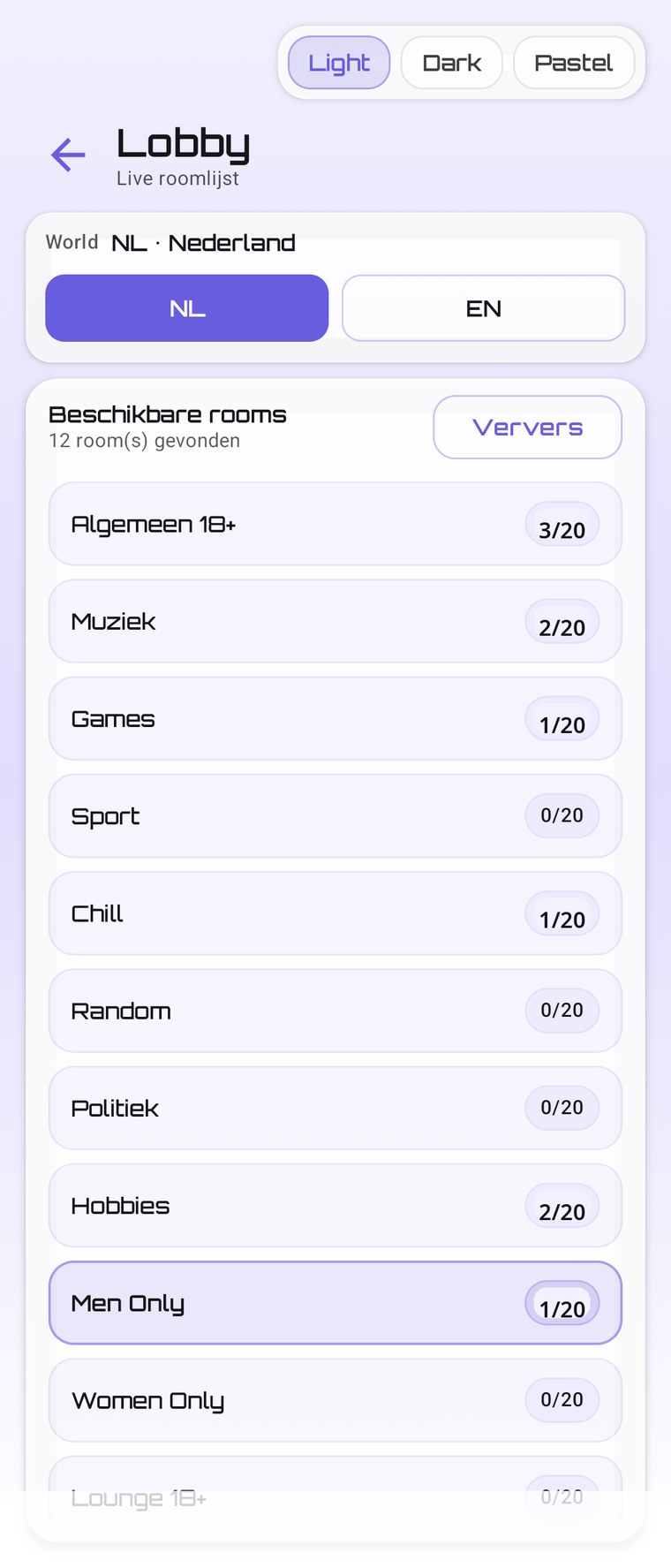
SquareChat room overview on Android

Choose a room

Browse the room overview and join where you want. Small rooms keep conversations clear and manageable.

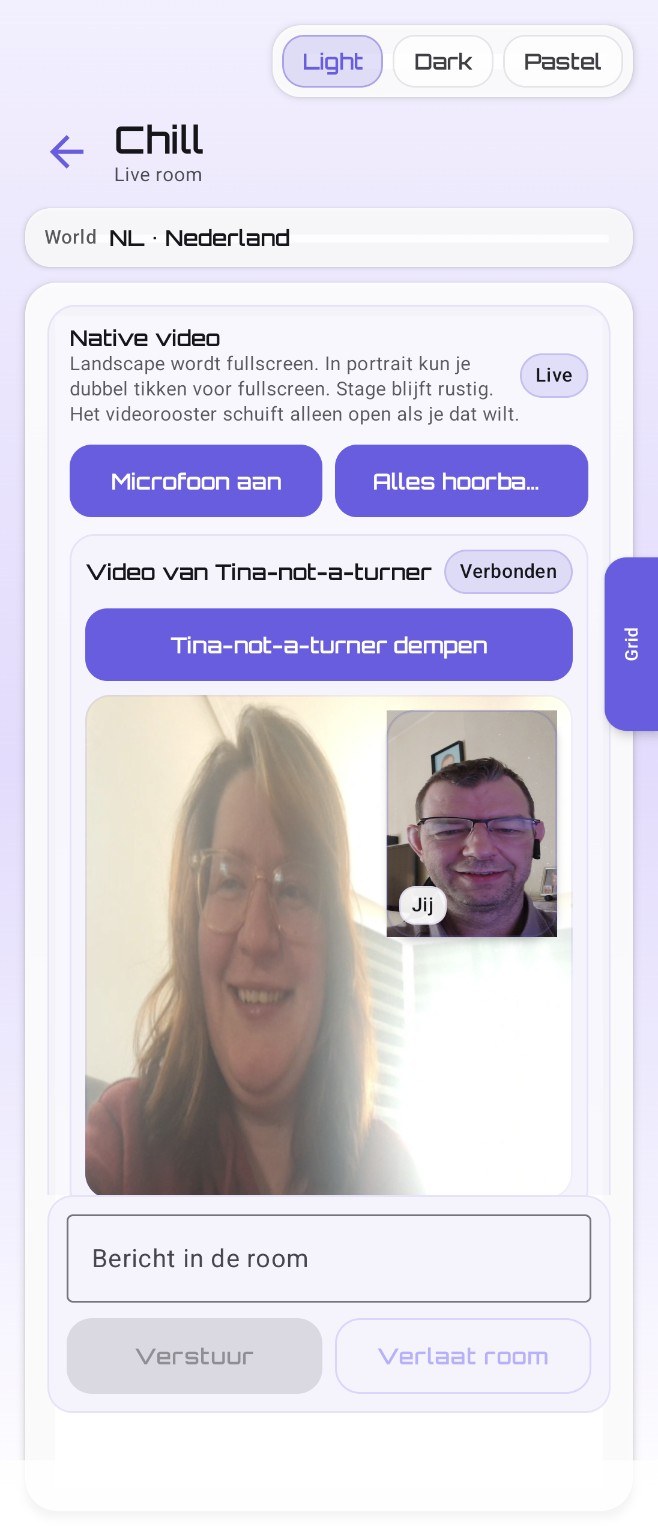
SquareChat video session on Android

Video chat in small groups

SquareChat is video-first. This gives you a direct impression of what a real session looks like in the app.

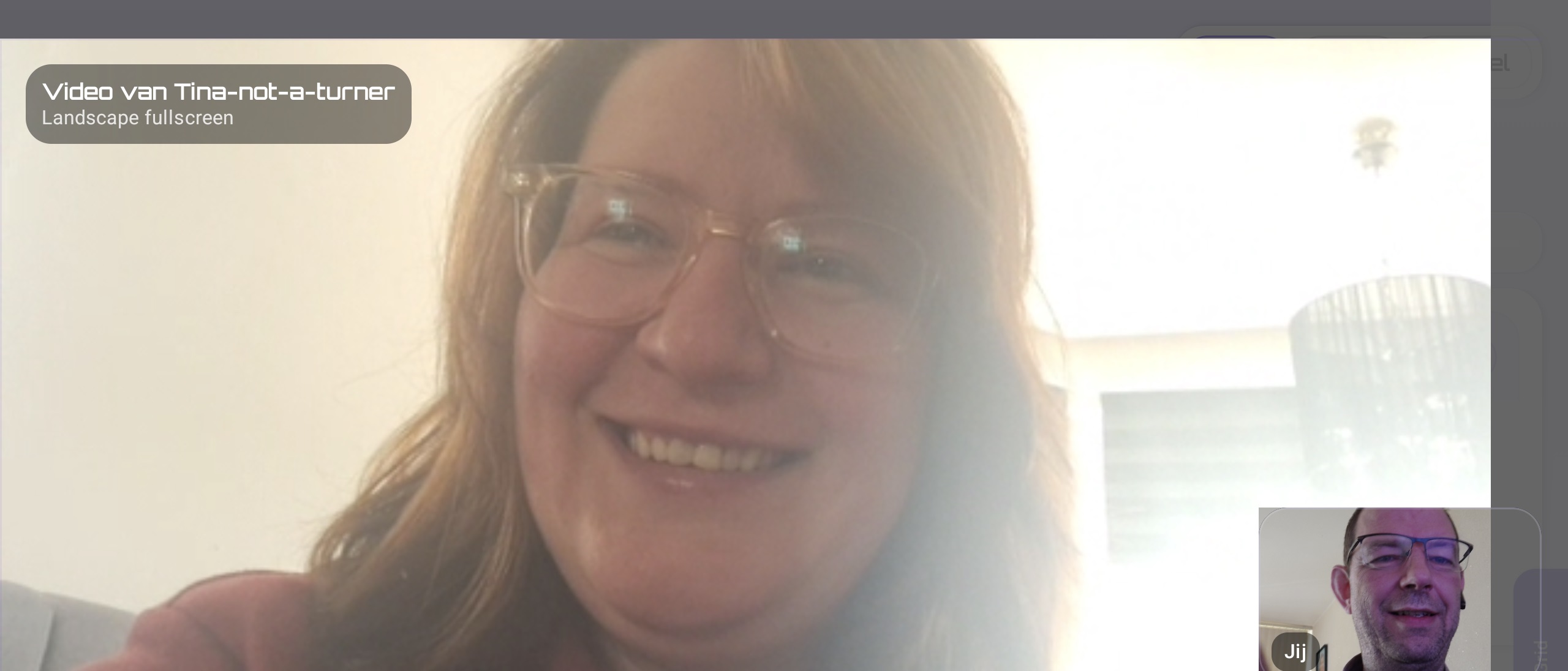
SquareChat fullscreen video in landscape

Fullscreen video

In landscape, video can be shown fullscreen. That gives a calmer, clearer viewing experience during a conversation.

Note: the screenshots on this page are illustrative. SquareChat Mobile is actively being improved; the current app version may look or work differently from the images shown.

Install in 4 steps

1

Download the APK

Use the download button or scan the QR code with your Android device.

2

Open the file

Open the download in your browser or through your Downloads app.

3

Allow installation

Android asks for permission to install apps from this source.

4

Start SquareChat

Install the app, open SquareChat and log in or create an account.

Which permissions does the app ask for?

SquareChat only uses permissions that are needed for the app to work.

Camera

Needed for video chat. Camera presence is part of the SquareChat concept.

Microphone

Needed to talk to others in video chat.

You can manage app permissions later through SettingsAppsSquareChatPermissions.

Version and verification

Here you can see which file you are downloading. You can use the SHA-256 hash to check that the file matches exactly.

Version2.0.15
Release25-07-2026
FileSquareChat-Mobile-2.0.15-release.apk
SHA-256
Verification hash for this APK.
A261C510667FAC075CD246BD6CE82BC600F4530025020D01045FEC328253F296

Frequently asked questions

Why do I get an Android warning?normal for direct downloads
Android asks for extra confirmation when you install an app outside the Play Store. Always check that you download through squarechat.nl.
Is an APK dangerous?not automatically
An APK is an Android installation file. The risk mainly depends on the source. Do not download APKs from unknown websites, forwarded files or vague links. For SquareChat, use only this official page.
What if Android says “App not installed”?most common
Usually this means there is still an old test build on your device that was signed differently, or the download was damaged. Remove any old test build and download the app again through this page.
How do updates work?through SquareChat itself
New Android versions are offered through squarechat.nl. The app can check whether a newer version is available.
Will there be/is there a iOS app?the honest truth
Not as of yet. I’d really love to offer iPhone/iOS users an app, but there are a few “issues” that I’m running into. I need Apple hardware to write the code for the app. I work mainly on Windows and Linux, and there’s no software available for those operating systems to develop an iOS app. On top of that, since I don’t work with it, I really don’t know anything about Apple hardware and software. Especially the programming languages. Of course, I can find a lot of information in forums, but without a pen (software) and paper (hardware), you can’t write anything down. The main reason there isn’t an iOS app is that I can’t keep it under my own control. Unlike with Android, Apple makes that practically impossible. The app has to be in the Apple App Store; something I really don’t want. Apple would impose rules on me (meaning: Apple takes control over an app that I have created) that I do not want to comply with.

Why SquareChat?

SquareChat was built as a fair and simple video chat without ads and without an algorithm trying to hold your attention.

Small rooms, clear rules, respect for each other and a safe separation between teens and adults are central to the platform.

No ads Small rooms Clear rules Video-first